Effective video conferencing is all about clear communication, the right setup, and professional on-screen behavior. It helps virtual meetings feel just as productive as in-person ones while keeping everyone engaged. When done properly, it saves time and creates a smoother work experience.
Around 86% of remote workers use video conferencing every week, and nearly 66% of internet users in the US take part in video calls. The market itself was valued at 11.65 billion dollars in 2024 and is expected to grow significantly in the coming years. Also, its productivity can increase by up to 40% when teams rely on virtual collaboration tools.
And now, we’ll explore everything you need to know, from understanding how video conferencing works to setting up the right equipment and running professional meetings. We will also cover security practices, along with the pros, cons, and best platforms available today.
Understanding Video Conference
Ever had that moment where you are miles away from someone, yet the conversation feels almost real? That strange mix of distance and connection is exactly what makes video conferencing so powerful. It is not just about talking on a screen, it is about bringing people closer when it matters most.
Real time communication
It allows people to talk instantly with both voice and facial expressions, which makes conversations feel more human. Decisions happen faster because there is no waiting for replies, and everyone can respond at the same moment. This makes discussions clearer since tone and reactions are visible rather than just guessed through text.
Remote collaboration
Teams can work together from completely different locations while still sharing ideas as if they are in the same room. Features like screen sharing and live editing make teamwork efficient without delays. It removes the need to be physically present while still keeping everyone connected.
Virtual meetings and training
Organizations can conduct meetings, sessions, and training programs without gathering everyone in one place. People can join from anywhere, which makes learning and communication more accessible. Recorded sessions also allow participants to revisit important discussions whenever they need.
Global connectivity
Video conferencing connects people across countries and time zones without the need for travel. Businesses can expand and communicate with international clients or teams easily. It opens opportunities to build relationships and collaborate beyond geographical limits.
Cost reduction
Companies save money by reducing travel accommodation expenses significantly. Time is also saved since there is no commuting, which increases overall efficiency, making video conferencing a cost-effective solution for both individuals and organisations.
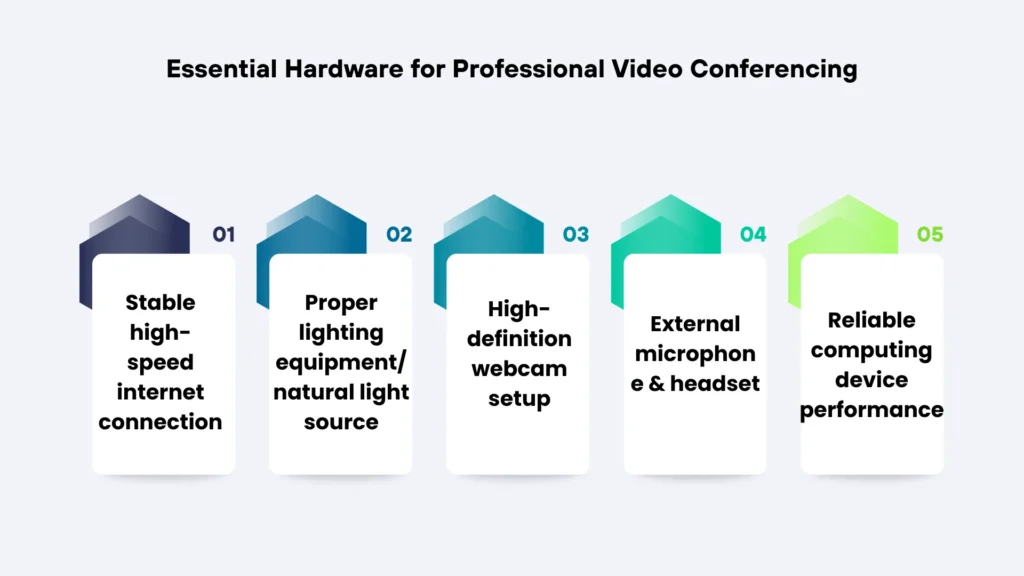
Essential Hardware for Professional Video Conferencing
Imagine joining a meeting, everything is ready, and somehow you still feel off. Your words are fine, but your setup quietly works against you in ways you cannot ignore. Before you even speak, your camera, sound, and lighting have already made an impression.
Stable high speed internet connection
Strong internet keeps your communication uninterrupted, so use a reliable connection with enough speed and stability to avoid delays, buffering, and awkward pauses during meetings.
Proper lighting equipment/natural light source
Good lighting makes you look sharp and present, so sit facing a natural light source or use soft lighting that highlights your face evenly without shadows or harsh brightness.
High-definition webcam setup
A clear camera instantly improves how people see and trust you, so use a high-definition webcam placed at eye level with proper framing, so your face looks natural and not distorted.
External microphone & headset
Audio is what people remember most, so use a good external microphone or headset that captures your voice clearly and blocks background noise, so you sound confident and easy to understand.
Reliable computing device performance
A smooth experience depends on your device, so use a system that can handle video calls without freezing or lagging by keeping it updated and free from unnecessary background load.
Key Strategies to Run Productive Virtual Meetings
There is a moment in almost every virtual meeting where things quietly fall apart. People stop engaging, ideas lose direction, and the energy in the room just fades. What separates a great meeting from a forgettable one is not just the tool but how you show up.
Professional appearance
Before you even say a word, your appearance is already speaking for you. People subconsciously decide how seriously to take you within seconds. A polished look sets the tone for everything that follows.
- Wear clean and appropriate clothing that aligns with the meeting type and keeps your presence professional and distraction-free.
- Maintain neat grooming and a presentable look so the focus stays on your ideas and not on avoidable visual distractions.
- Choose simple colors and minimal patterns to create a calm and polished appearance that does not pull attention away from your message.
Camera presence
The way you appear on camera can either pull people in or quietly push them away. If your presence feels distant, people naturally lose interest without realising it. Strong camera presence makes your communication feel more human and engaging.
- Maintain direct eye contact with the camera to create a stronger connection and make others feel like you are speaking directly to them.
- Sit with upright posture and steady positioning to reflect confidence, attentiveness, and a professional mindset throughout the meeting.
- Use natural expressions and subtle reactions to show that you are actively listening and fully involved in the conversation.
Clear communication
In virtual meetings, even a small confusion can quickly turn into a complete misunderstanding. When communication lacks clarity, people stop following and start guessing. Being clear is not just helpful, it is essential for keeping everyone aligned.
- Speak with a calm pace and clear pronunciation so every participant can easily understand your message without asking for repetition.
- Use straightforward language to avoid unnecessary complexity and keep your points simple, direct, and easy to absorb.
- Allow brief pauses for responses and interaction so conversations remain organised and do not turn into overlapping discussions.
Audio & video control
Tiny technical distractions can quietly ruin the flow of an entire meeting. Background noise or poor visuals make it harder for others to stay focused. Managing these details shows awareness and respect for everyone involved.
- Keep your microphone muted when not speaking to prevent background noise from interrupting others.
- Ensure your camera framing and stability are properly adjusted before the meeting so your presence appears professional.
- Use headphones or a quality headset to improve sound clarity and eliminate echo for a smoother communication experience.
Meeting structure and flow
Without structure, meetings tend to drift and lose their purpose very quickly. People start to feel unsure of what is happening and leave without clear outcomes. A well-guided flow keeps everyone aligned from start to finish.
- Begin with a clear agenda and defined objectives so everyone understands the purpose and direction of the meeting from the start.
- Assign specific roles, such as host or note taker, to maintain organisation and ensure the discussion stays on track.
- Conclude with a summary and clear action steps so every participant leaves with clarity and knows what needs to be done next.
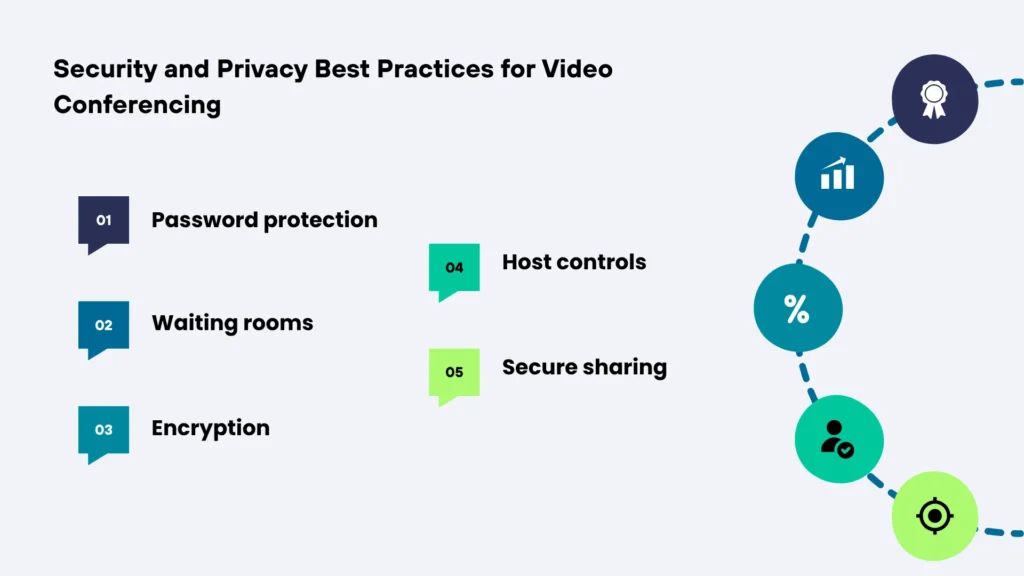
Security and Privacy Best Practices for Video Conferencing
You know that uneasy feeling when someone joins a meeting, and no one knows who they are. Or when you suddenly wonder if your screen is showing more than it should. Yeah, this part is where small precautions quietly protect everything that matters.
Password protection
Set a strong and unique password for every meeting, and make sure it is shared only with intended participants through secure channels. It is a simple step that prevents random users from entering your session and keeps your meeting environment controlled and safe.
Waiting rooms
Enable waiting rooms so you can review each participant before allowing them into the meeting. This gives you full control over who joins, helping you block unknown or suspicious users while maintaining a secure and organised session.
Encryption
Choose platforms that provide end-to-end encryption, and always keep your software updated to the latest version. This ensures your conversations remain private and protected from unauthorised access or potential data breaches.
Host controls
Use host control features to manage participant permissions, such as muting microphones, restricting screen sharing, or removing users if necessary. These controls help you maintain order and prevent disruptions during important meetings.
Secure sharing
Share your screen or files only when necessary, and double-check what is visible before presenting. Avoid displaying sensitive information unintentionally, as even small oversights can lead to data exposure during live sessions.
Different Types of Video Conferencing Systems
Some video calls just click instantly, while others feel awkward, no matter how hard you try. That difference is not random, it often comes down to the system running behind the screen. Once you notice it, you start to see why certain meetings feel smooth, and others feel frustrating.
Point to point
This is the simplest form where two people connect directly in a one-on-one session. It works best for interviews, private discussions, or quick check-ins without distractions. Because only two participants are involved, the connection is usually faster and more stable.
Multi point
This setup allows multiple participants to join the same meeting at once from different locations. It is commonly used for team meetings, group discussions, and collaborative sessions. The system manages several video and audio streams together, which requires stronger bandwidth.
Web based
Web-based systems run directly in your browser without needing any software installation. They are easy to access through a simple link, which makes them perfect for quick meetings. This type is popular for its convenience, especially when working with external participants.
Telepresence
Telepresence systems are designed to create a highly immersive and realistic meeting experience. They use advanced cameras and large displays to make participants feel physically present. This type is often used by big companies that want premium quality communication.
Integrated room-based
These systems are built into dedicated meeting rooms with professional-grade equipment. They include cameras, microphones, and displays all set up for seamless communication. They are ideal for corporate environments where meetings need to look polished and consistent.
Common Use Cases Across Industries
A few years ago, most important work happened inside offices, classrooms, and meeting rooms. Now those same moments are unfolding through screens, connecting people who might not even be in the same city. It quietly reshaped how entire industries function, making distance almost irrelevant.
Corporate meetings
Teams connect instantly to discuss goals, share updates, and make decisions without waiting for everyone to be physically present. It keeps communication fast and consistent across multiple departments and locations.
Remote education
Students and teachers interact in real time from anywhere, making learning flexible and accessible to even those places where it is scarce. Lessons and even assessments happen smoothly without needing a traditional classroom.
Telemedicine
Doctors consult patients through video calls and offer guidance without requiring travel. It saves time, increases accessibility, and helps people get care when they need it most.
Client presentations
Businesses present ideas, pitch services, and demonstrate products directly to clients regardless of location. It creates a professional experience while keeping communication clear and engaging.
Webinars & events
Organisations host large-scale sessions where speakers share knowledge and audiences participate from anywhere. It allows events to reach more people while keeping interaction and engagement alive.
Differences between video conferencing and traditional Meetings
Picture this, you are sitting comfortably at home, joining a meeting with one click, while someone else is stuck in traffic trying to reach the same discussion. Or maybe you’re in a room full of people where every reaction feels real and immediate in a way screens sometimes miss. Such a contrast is exactly where these two meeting styles begin to differ.
| Aspects | Video Conferencing | Traditional Meetings |
| Location | Join from anywhere with the internet | Requires physical presence |
| Cost | Minimal Cost with no travel needed | Higher Cost due to travel and possibly accommodation |
| Flexibility | Easy to schedule & attend | Limited by location and availability |
| Interaction | Screen based | Face-to-face direct |
| Setup | Requires devices and the internet | Requires physical space and arrangement |
| Time Efficiency | Saves travel time and effort | Often involves commuting and delays |
In reality, neither option is perfect on its own, and both serve different needs. One brings unmatched convenience while the other delivers a deeper personal connection. The smartest choice is knowing which one fits your moment best.
Pros & Cons of Video Conferencing
There are moments when a virtual meeting feels incredibly smooth and productive. However, everything can also go wrong. That mix of convenience and frustration is exactly what defines video conferencing today. Before making it your go-to solution for everything, it helps to understand both sides clearly.
| Pros | Cons |
| Cost-effective & reduces travel time | Depends heavily on the device and the internet quality |
| Flexible and accessible from anywhere | Technical glitches can cause interruptions |
| Enables global communication and teamwork | Can feel less personal than face-to-face meetings |
| Saves time and increases productivity | Long screen time can cause fatigue |
| Allows recording and easy documentation | Security and privacy concerns |
Video conferencing is not perfect, but it remains a powerful tool when used wisely. Understanding its advantages and limitations helps you avoid common frustrations and work more efficiently. In the end, success depends less on the tool and more on how you choose to use it.
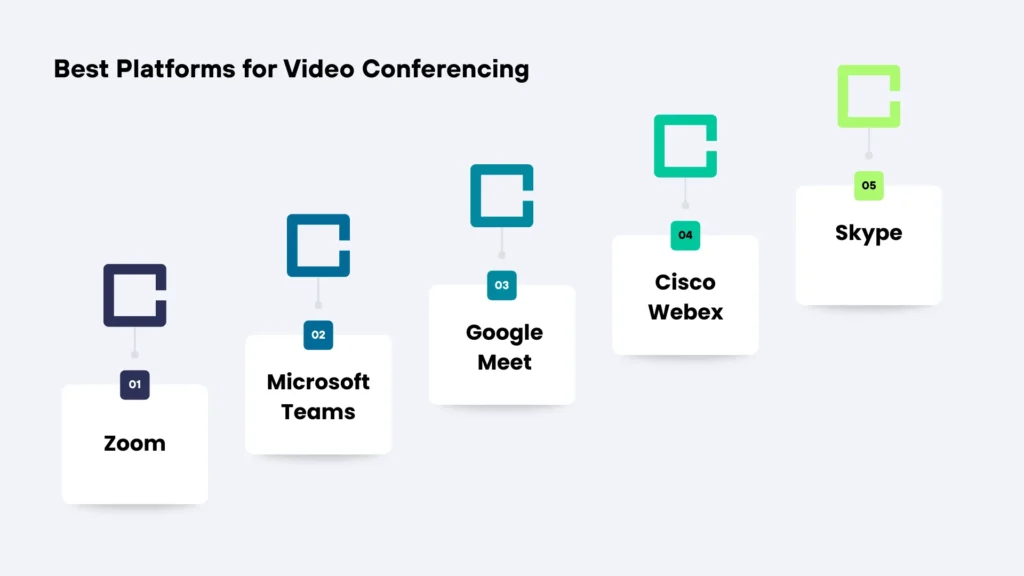
Best Platforms for Video Conferencing
Not all meeting tools feel the same and you notice it the moment a call begins. Some make everything flow naturally, while others turn simple conversations into an effort. The right choice quietly decides whether your meetings feel easy or exhausting.
Zoom
It feels effortless the moment you join, and everything just works without confusion. From small chats to large meetings, it handles scale without overwhelming you. The experience stays smooth, which makes people focus more on conversation than the tool.
Microsoft Teams
Previously known as Skype. It blends naturally into daily work, especially if you already live inside office tools. Conversations, files, and meetings stay connected, so nothing feels scattered. It is less about meetings alone and more about keeping your entire workflow in one place.
Google Meet
You click a link, and you are in without installs or complications slowing you down. It feels simple and fast, which is perfect when you just want to talk and move on. For quick and reliable meetings, it removes the friction that usually wastes time.
Cisco Webex
It gives a sense of control and security that bigger organizations rely on daily. The experience is built for stability, even when meetings get large and serious. It quietly handles complexity, so important discussions do not get disrupted.
FAQs
Before joining, quickly test your audio, video, and internet. It also helps to review the agenda so you’re not caught off guard.
Ethernet is generally more stable and reduces lag. Wi-Fi works fine too, but only if your signal is strong and consistent.
Eye contact helps build trust and keeps the conversation natural. Looking at the camera makes it feel like you’re truly present.
Take short breaks between meetings and avoid back-to-back calls. Giving your eyes and mind rest makes a big difference.
Stay calm and communicate the issue briefly. Restarting the app or reconnecting usually fixes most problems quickly.