JavaScript builds interactive websites. It powers mobile apps. It drives browser games. It also runs backend servers. JavaScript covers 6 major areas of software development: web development, web and mobile apps, game development, server-side programming, presentations, and newer fields like AI and virtual reality.
JavaScript runs on 98.8% of the world’s websites, according to W3Techs’ usage data. This guide walks through each use case. It also explains how JavaScript works and where it still falls short.
What Is JavaScript?
JavaScript is a lightweight language that adds interactivity to web pages. It works with two other core web tools. HTML structures a page’s content: paragraphs, headings, images, and tables. CSS styles that content: colors, fonts, and layout. JavaScript makes the content respond: buttons react to clicks, forms check user input, and pages update without a reload.
Brendan Eich created JavaScript in 1995. He built it for Netscape Navigator. His goal was simple: handle small tasks like form checks and pop-up alerts. Developers now use it for much bigger jobs. They build everything from a single button to a full banking dashboard. JavaScript runs in every major browser. Through Node.js, it also runs on servers.
Modern JavaScript looks different from Eich’s first version. The language now has let and const for variables. It has arrow functions for shorter code. It also has template literals for building text strings.
These updates come through ECMAScript. This is the official rulebook for how JavaScript behaves. ECMA International releases a new ECMAScript version every year. This keeps the language consistent across every browser.
Why Does JavaScript Matter?
JavaScript is the only language that runs inside every major browser. Without it, websites stay static. They show the same text and images to every visitor. JavaScript changes that. It powers dropdown menus, live updates, form checks, and animations. This reach is also why JavaScript shows up so often in job postings and company tech stacks.
Who Relies on JavaScript?
Three job titles use JavaScript every day: web developer, front-end developer, and full-stack developer. Back-end developers learn it too. Node.js gives them a reason to. Google, Amazon, and Meta all use JavaScript across their products. Finance, education, and advertising also depend on it for interactive tools.
The 2025 Stack Overflow Developer Survey found that 66% of developers used JavaScript in the past year. That makes it one of the most used languages in the world. Demand for JavaScript skills spans almost every industry with a website. This is why it stays a solid entry point into a tech career.
Popular Features of JavaScript
JavaScript stays popular for 3 main reasons. It’s easy to learn. It works in every major browser. And it builds everything from small scripts to large apps. A few other features stand out too:
- JavaScript runs on many devices, including desktops, iPhones, Androids, and smart TVs.
- JavaScript gets regular updates through ECMAScript.
- JavaScript works with popular frameworks like React, Vue.js, and Angular.
- JavaScript supports both procedural and object-oriented coding styles, so developers can pick the approach that fits a project.
- JavaScript has a huge open-source ecosystem through npm, with more than 3 million packages ready to install.
Advantages of JavaScript
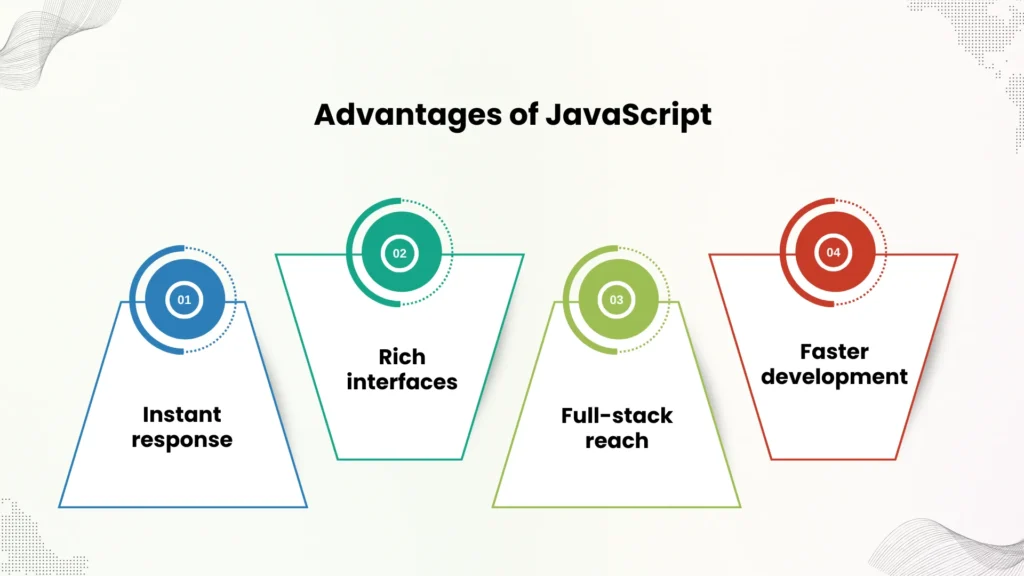
- Instant response: JavaScript runs right in the browser, so pages respond instantly, with no wait on a server.
- Rich interfaces: This speed builds drag-and-drop tools, animations, and live updates that feel smooth to the user.
- Full-stack reach: With Node.js, JavaScript also handles the back end, so teams can build a whole project in one language instead of two.
- Faster development: One shared language across front end and back end cuts down on handoff time between teams.
Limitations of JavaScript
- Security exposure: JavaScript’s browser-based design opens the door to risks like cross-site scripting (XSS). Developers guard against this with input checks and content security policies, though the tools aren’t perfect. A 2023 study on Node.js package security found that even the three best static analysis tools combined caught only 57.6% of known bugs in the test data, and several issues on the OWASP Top 10 list slipped past every tool.
- UI freezing: JavaScript’s single-threaded design can freeze the page during heavy tasks. Developers fix this with Web Workers, which handle the heavy lifting elsewhere.
- Runtime errors: Dynamic typing speeds up coding, but it also raises the risk of bugs in big projects. Many teams add TypeScript for stricter checks before they ship code.
How Does JavaScript Handle Multiple Tasks at Once?
JavaScript manages many tasks through the event loop. This is what lets a single-threaded language stay fast while it waits on slow jobs, like a network request. Four ideas explain how this works.
- Closures let a function remember variables from where it was born, even after the outer function finishes running. Developers use closures to build private data, like a counter that only one function can change.
- Promises stand in for a value that doesn’t exist yet but will show up later, like a server’s response. A promise moves through three states: pending, fulfilled, or rejected.
- Async/await builds on promises. It lets developers write async code that reads like normal, top-to-bottom code.
- The event loop checks if the call stack is empty. Then it pulls the next task from a queue and runs it. A 2019 study on static analysis for asynchronous JavaScript programs backs up why this matters, finding that reasoning about event-driven code is hard enough that special tools improve bug detection in real programs. Node.js apps handle thousands of connections through this same event loop. Developers need to understand it to avoid timing bugs.
What Can JavaScript Really Do?
At its core, JavaScript stores values in variables. It edits text strings. It runs code when something happens on the page, like a click.
Beyond the basics, JavaScript taps into Application Programming Interfaces (APIs). These are ready-made code blocks that unlock advanced features.
- Browser APIs ship with the browser itself. The DOM API edits HTML and CSS. The Geolocation API grabs location data for tools like Google Maps. The Canvas and WebGL APIs draw 2D and 3D graphics.
- Third-party APIs live outside the browser. The Google Maps API adds custom maps. Payment APIs like Stripe process transactions. Social platform APIs show live posts on a site.
How JavaScript Works
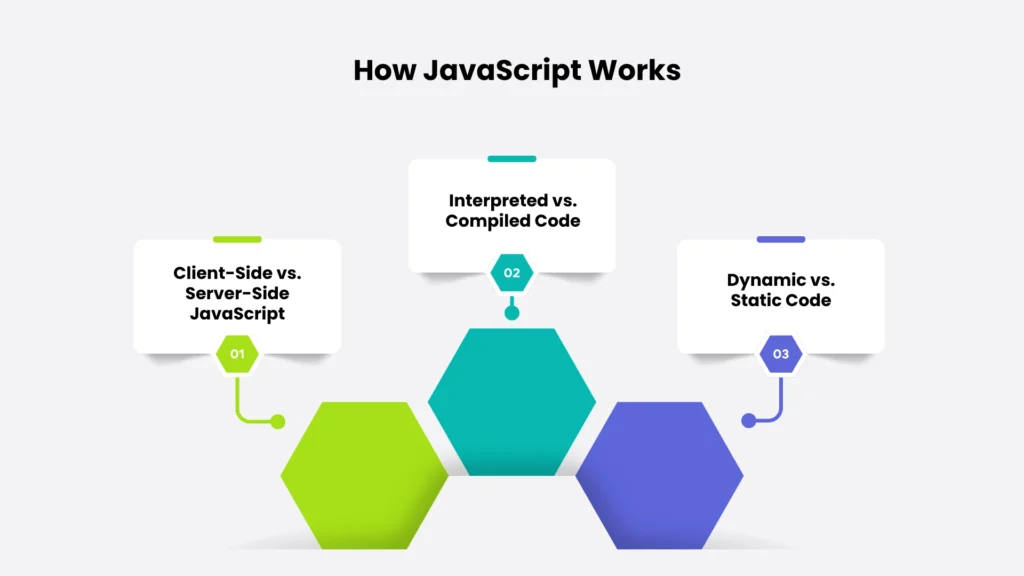
JavaScript runs on 3 key ideas: where the code runs, how it executes, and how it handles data types.
Client-Side vs. Server-Side JavaScript
Client-side JavaScript runs on the visitor’s own computer, inside the browser tab. It handles animations, form checks, and instant feedback. Server-side JavaScript, usually through Node.js, works differently. It processes data, runs business logic, and talks to databases. Each browser tab also runs in its own space. This is a core security rule. It stops code on one site from touching another.
Interpreted vs. Compiled Code
JavaScript runs as an interpreted language. The browser reads the code as plain text and runs it top to bottom, with no conversion step first. Compiled languages like C++ work differently. They turn source code into machine code before it runs. Modern JavaScript engines add a twist. Google’s V8, for example, uses just-in-time (JIT) compiling. It turns code into a faster binary format while the program runs. This speeds things up, but JavaScript still counts as interpreted.
Because the browser runs JavaScript in order, developers must define variables and functions before they use them. Code placed out of order often triggers errors.
Dynamic vs. Static Code
Dynamic code updates a page based on the situation, like a live table pulling new data from a server. Static code shows the same content to every visitor, with nothing updating live. JavaScript’s dynamic typing adds another layer. A variable can change type at runtime. This speeds up coding, but it also raises the risk of errors in large codebases.
How Does JavaScript Compare to Python and Java?
JavaScript, Python, and Java solve different problems, even though beginners often mix up the last two by name.
| Factor | JavaScript | Python | Java |
| Runs natively in | Every major browser | No browser (needs an interpreter) | No browser (needs a JVM) |
| Best known for | Web interactivity, front-end and full-stack apps | Data science, automation, backend scripts | Enterprise systems, Android apps |
| Typing | Dynamic | Dynamic | Static |
| Learning curve | Gentle | Gentle, often easier for total beginners | Steeper, due to strict syntax rules |
| Common hiring fit | Front-end and full-stack roles | Data-focused and automation roles | Enterprise backend and Android roles |
The typing difference matters most in hiring. Front-end and full-stack roles almost always need JavaScript, since it’s the only language that runs directly in a browser. Data-focused roles lean on Python. Enterprise backend teams often split between Java and Node.js, based on their existing codebase.
The 6 Major Uses of JavaScript
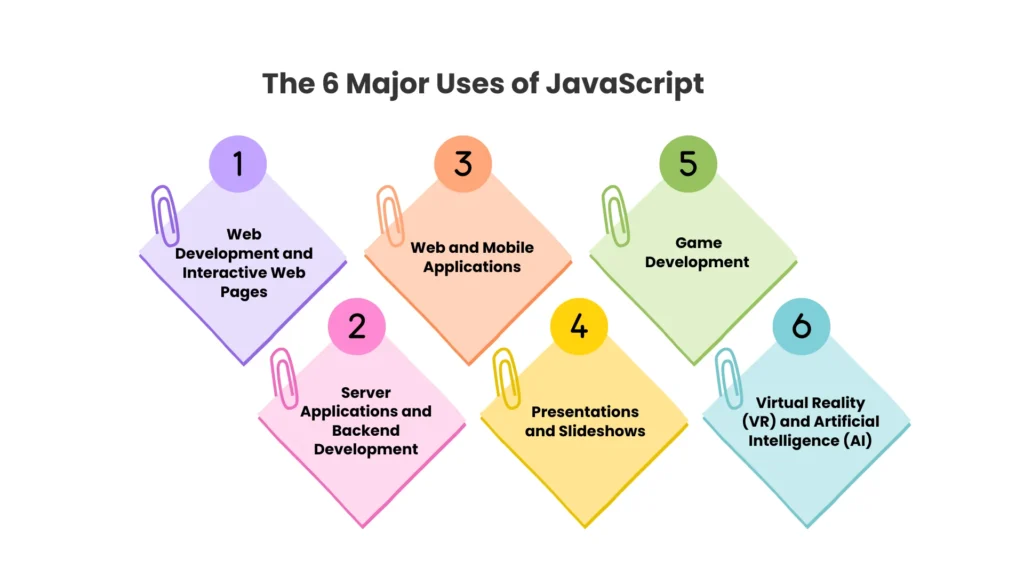
1. Web Development and Interactive Web Pages
JavaScript builds dropdown menus. It checks form fields. It shows live data. It also smooths out browser gaps, so one website works the same across desktop and mobile. Scripts update content quietly in the background, with no page reload needed.
2. Web and Mobile Applications
Frameworks like React, Vue.js, and Angular build fast web apps with interactive menus and quick feedback. Tools like React Native and Ionic push JavaScript into mobile development. Teams can reuse one codebase across iOS, Android, and the web. JavaScript can also run the back end of a mobile app. It queries databases and builds APIs the app uses to talk to other services.
3. Game Development
Paired with HTML5 and libraries like Phaser or Three.js, JavaScript builds 2D and 3D games that run right inside a browser, with no extra software needed. These games handle input, physics, sound, and graphics. They run across a wide range of devices.
4. Server Applications and Backend Development
With Node.js, JavaScript handles HTTP requests. It manages databases. It builds APIs on the server side. Developers manage these projects with npm, the tool that installs and tracks Node.js libraries. This setup lets one team build both the front end and back end in a single language. That cuts down the time spent switching between different tech stacks.
5. Presentations and Slideshows
JavaScript tracks clicks and keystrokes to move slides forward. It updates content on the fly, like swapping images in a carousel. It also builds smooth transitions between slides to keep an audience engaged.
6. Virtual Reality (VR) and Artificial Intelligence (AI)
Libraries like A-Frame and Three.js build VR experiences right inside a browser. In AI, TensorFlow.js runs machine learning models in the browser. It handles tasks like image recognition and sentiment analysis, with no separate server needed. WebAssembly often pairs with JavaScript here. It handles the heavy math, while JavaScript runs the interface.
10 Practical Examples of JavaScript in Everyday Use
JavaScript already powers features you use every day:
- Form validation checks for empty fields and correct email formats before a user submits data. This cuts down on wasted server requests.
- Real-time data updates through AJAX, the Fetch API, and WebSockets keep chat apps, stock tickers, and dashboards live.
- Single Page Applications (SPAs), built with React or Vue.js, update the page without a full reload. Gmail and Google Maps both work this way.
- Browser extensions, from ad blockers to grammar checkers, edit the page to change how it looks or behaves.
- Cross-platform desktop apps, built with Electron.js, feel like native software. Visual Studio Code and Slack both run on this framework.
- Internet of Things (IoT) devices, controlled through tools like Johnny-Five, respond to sensors or connect to the cloud.
- Progressive Web Apps (PWAs) use service workers and caching to work offline, like a native app.
- Data visualization dashboards, built with D3.js or Chart.js, turn raw numbers into charts for business reports.
- Machine learning models run through TensorFlow.js, handle image recognition and gesture detection right in the browser.
- CMS integration pulls content from headless platforms like Contentful. This supports fast, custom websites.
Why Learn JavaScript?
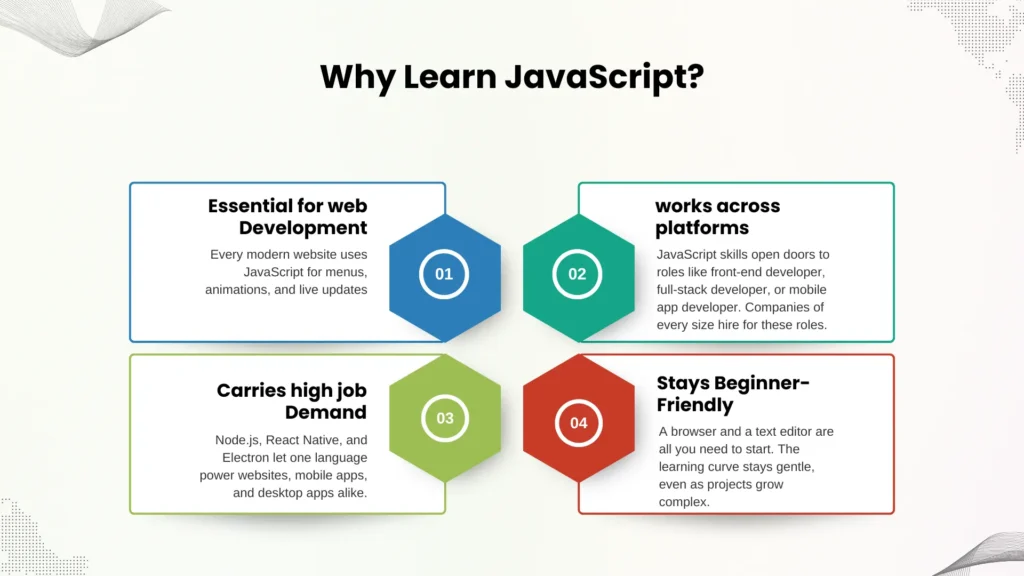
Learning JavaScript builds 4 clear advantages for your career:
- It’s essential for web development. Every modern website uses JavaScript for menus, animations, and live updates.
- It carries high job demand. JavaScript skills open doors to roles like front-end developer, full-stack developer, or mobile app developer. Companies of every size hire for these roles.
- It works across platforms. Node.js, React Native, and Electron let one language power websites, mobile apps, and desktop apps alike.
- It stays beginner-friendly. A browser and a text editor are all you need to start. The learning curve stays gentle, even as projects grow complex.
Coding skills like JavaScript rarely stay confined to writing code alone. Many developers grow into roles that mix technical skill with project leadership. Formal study in IT management often supports that shift for professionals who want to lead technical teams, not just build for them. Security-minded developers who want to go deeper into the risks covered above can also check how cyber security salaries compare across roles, or browse the wider business program options at Charisma University for a path that blends tech with leadership training.
Summary
JavaScript turns a static page into something alive, whether that means a simple dropdown menu or a machine learning model running right in the browser. It works with HTML and CSS on the front end. It powers servers through Node.js on the back end. And it stretches into mobile apps, games, and IoT devices. With 66% developer adoption and a presence on nearly every website, JavaScript remains one of the most useful languages to learn for a career in tech.
Charisma University’s School of Business and technology-focused programs, including the online PhD in Cyber Security Administration, give students the chance to build on programming fundamentals like JavaScript within a structured academic path. Browse the highest paying bachelor’s degrees to see where technology skills lead next.
Frequently Asked Questions
JavaScript’s top use is front-end web development. It improves how a site looks and responds. Developers also use it beyond the browser to build games, mobile apps, and server-side apps through Node.js.
JavaScript has a gentle learning curve compared to compiled languages like C++. Beginners often start with small, visible wins, like a button that changes color. This keeps the process practical and fun.
No. JavaScript and Java are unrelated languages with different jobs. JavaScript mainly builds interactive websites and apps. Java powers enterprise software, backend systems, and Android apps.
React, Angular, Vue.js, and jQuery rank among the top picks. Each one speeds up development with ready-made components and extra features for complex apps.
var declares a variable with function-level scope and allows redeclaration, which often causes bugs in big codebases. let declares a variable with block-level scope and allows reassignment. const also uses block-level scope, but it blocks any change after the first value is set. Most style guides recommend const by default, and let only when a value needs to change.
Front-end and full-stack roles almost always need it, since it’s the only language that runs natively in every browser. Some backend-only or data roles lean more on Python or Java, though even those teams often touch JavaScript on web-facing features.
A modern browser and a text editor, like Visual Studio Code, cover the basics. As skills grow, developers add Node.js, browser dev tools, and Git for version control.
Yes. Node.js runs JavaScript outside the browser. This opens the door to backend development, automation, and server scripts.
Learning HTML and CSS first helps, though it isn’t required. HTML structures a page, CSS styles it, and JavaScript builds interactivity on top.